


One topic. One exercise.
If your hero did not manage to press a button, another expensive item will not always fix the cause. Understand what stopped the action: your hero's state, a disable, damage or a position that was too dangerous. I choose protection for a specific problem.
Name the threat and the action you lost first
Dying to burst damage and being unable to use abilities are different problems. Your hero may have been too close, seen the enemy too late or received an effect that blocked the button you needed. Without naming the cause, a build becomes a list of expensive hopes.
Start with one moment. What did your hero want to do? Exactly what became unavailable? Was there time to use an item before the threat began? These answers distinguish a poor choice from a timing or positioning mistake. In your next attempts, change the corresponding cause.
«I need an answer to what is getting in the way in this match. A universal list of pretty defensive items cannot save you from asking the wrong question.»
Ruslan Ukrainskyi · OOPS DOTA
A save can change conditions without removing every effect
Force Staff changes the target's position; Glimmer Cape provides its own protective effect and invisibility. These actions may help you survive a threat, but do not mean every disable disappears or the enemy loses the ability to respond. Each tool has conditions.
In an example, compare moving elsewhere with receiving protection in the same position. If an ally is already in danger, understand where a push will send them and what the opponent can see. Do not buy an item based only on the label ‘save’ without reading its current description.
 EXPLORE THE EXAMPLE ↗
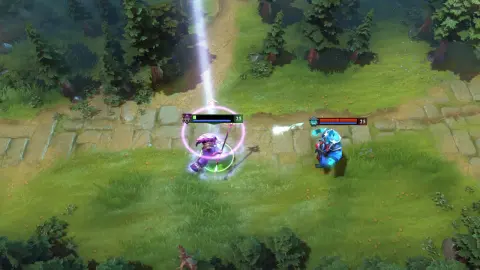
Dazzle prevents an ally's health from falling below the effect's limit. This is one type of save, not healing in itself.
Valve · official demonstration
A dispel removes only eligible effects
Dispels have types and limitations. Manta Style is an example of a basic dispel on yourself; other items and abilities work differently. An effect removed by one tool may not be removed by another. Check the particular target and description.
A normal silence does not automatically block all items, but other effects may prevent you from using a response. So the question has two parts: can the debuff itself be dispelled, and can you use your chosen tool right now? ‘I have a dispel’ is not enough.
 EXPLORE THE EXAMPLE ↗
An example of a basic dispel on yourself. Removes only effects that this dispel type can remove.
Valve · in-game itemBKB provides a window to act that you need to use
Black King Bar's effect has several parts, including a basic dispel and a protective window. The exact interaction depends on the threat and its current description. In particular, you cannot expect protection from every damage type and ability just because of the item's name.
In practice, name your action inside the window in advance: cast an important ability, keep attacking or leave a dangerous position. Pressing the item after you lose the ability to act may be too late. Then compare in the replay: was the item ready when the threat began, and which task did it actually help you complete?
 EXPLORE THE EXAMPLE ↗
An active defensive window. Check exactly what the effect blocks in its current description; BKB doesn’t make you immortal.
Valve · in-game item- 01Name the threat
- 02Check the interaction
- 03Choose when to respond
- 04Assess the protective window
Try it in the client.
In Demo Hero, read the current descriptions of Manta Style, BKB, Glimmer Cape and Force Staff. Choose a situation available in that mode for practice; do not add an unknown effect just to guess.
- 01
Name one disable and the action it prevents.
- 02
Find an item's dispel type in its description and check whether your chosen effect is covered by it.
- 03
Compare this response with repositioning through Force Staff or protection from Glimmer.
- 04
Use an available tool in practice and explain what changed and what remained.
- 05
For BKB, state in advance which action you intend to take within the protective window.
How to tell whether it worked
You distinguish removing an eligible effect from repositioning and a protective window, without promising yourself a universal escape.
Your hero has a normal silence and you are considering Manta as an answer. What must you check?
Choose an action and read the explanation.
Tried it in-game?
Mark the lesson when you’ve done the practice. It’s your checkmark, not a skill grade.
Next lesson ↗Sources and context
An original beginner course by Ruslan Ukrainskyi. The learning path was prepared on October 6, 2026 for patch 7.41f; check exact values, object locations and interactions against the current client and Valve’s source. Illustrations have separate captions: our own recordings, official demonstrations and clearly marked historical examples.
Valve: short practice scenarios and a glossary (2021) ↗Valve: heroes and ability descriptions ↗Valve: current patch 7.41f notes ↗Valve: current Manta Style description ↗Valve: current Black King Bar description ↗Valve: current Glimmer Cape description ↗Valve: current Force Staff description ↗