


One topic. One exercise.
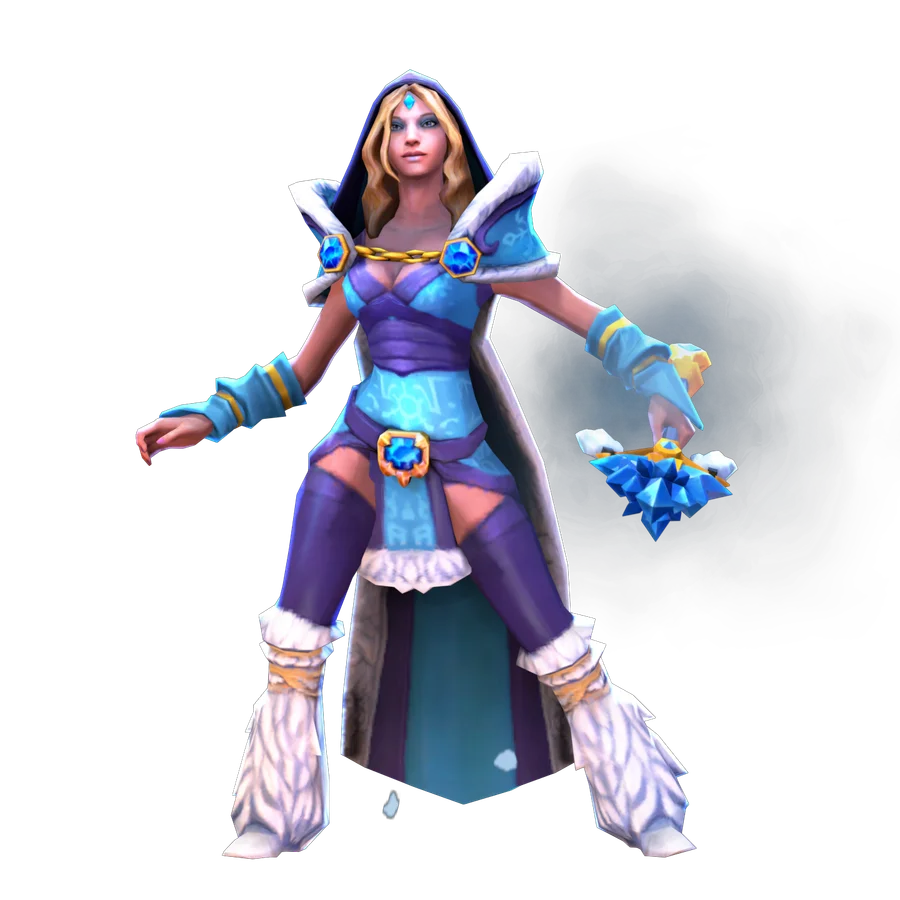
Choosing a hero because you like the portrait is fine. Before a match, though, it helps to find out what that portrait can actually do. I start with one hero and a short list: how we deal damage, how we help, and what we cannot do without an ally.
A hero is a set of available actions
A normal attack and an ability are different tools. An ability may require a selected target, a point on the ground, or affect the area around your hero. A passive effect usually does not need a separate button press. Do not guess from the icon: open the description and see which actions the game offers.
In Demo Hero, compare an attack and two abilities on one hero. Notice their range, mana cost, cooldown and direction. These limits explain why a button sometimes does not work even without enemy disables. An invalid target is a separate problem from not having enough mana.
«Before a match, I want to understand both what to press and what will change when I press it.»
Ruslan Ukrainskyi · OOPS DOTA
Read the description before buying an upgrade
An ability's level, a talent, Aghanim’s Scepter and Aghanim’s Shard can change what your hero can do. An upgrade is useful only when you understand what it adds and how to use it in your role. Not every upgrade should come before defensive items or another team need.
On the hero page, compare the current ability descriptions. In the client, hover over an ability and its upgrade. Sum up the difference in one sentence: ‘After buying this, I can…’ Take exact values from the current description, not your memory of an old match.
An ultimate is powerful, but still has conditions
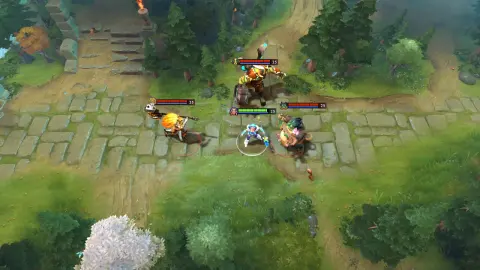
Crystal Maiden shows how a major ability works within a particular area and needs suitable positioning. A ready button does not guarantee that an enemy will stay nearby or let you use it without responding. Understand who will hold the target in place and who can stop you.
Watch the official demonstration, then compare it with the published match. The demonstration explains the effect; the match shows the conditions for using it. Both are useful, but they are different kinds of example. Success in one moment does not apply to every situation.
 EXPLORE THE EXAMPLE ↗
Official demonstration of CM's ultimate, showing its area and the explosions around her.
Valve · official demonstrationLeave room for your next action
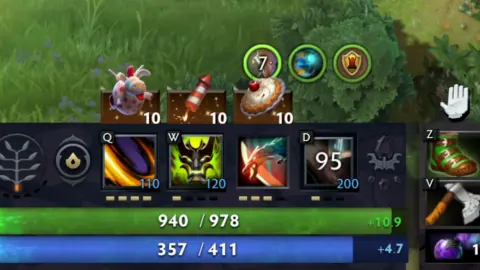
After using an ability, check your remaining mana and cooldowns. If you spend everything on creeps, you may not have what you need to help an ally. If a key ability is unavailable, the team should know before the next fight starts.
In your first matches, one short combo and a clear way out are enough. You do not need to copy someone else's complicated sequence before you can distinguish your own targets and limits. Choose one safe way to practise the ability, then add decisions as the situation requires.
 EXPLORE THE EXAMPLE ↗
Cooldown appears on the button itself. Shading and a countdown mean the ability or item isn’t ready to be used again.
OOPS DOTA / Ruslan Ukrainskyi · own Juggernaut recording- 01Read the effect
- 02Check the target and resources
- 03Use the ability
- 04Notice the result
Try it in the client.
Open Demo Hero for Crystal Maiden or another familiar hero. Read the descriptions first, then try the abilities on an appropriate target.
- 01
Use a normal attack and explain how it differs from an ability.
- 02
For two active abilities, identify the target, mana cost and cooldown, then try each one.
- 03
Find a passive effect if your chosen hero has one, and explain why it does not need a normal button press.
- 04
Use your ultimate in a safe situation and name a condition that would make it useless.
- 05
Compare one Aghanim’s Scepter or Shard upgrade with the original description and finish the sentence ‘It adds…’.
How to tell whether it worked
You can name at least three useful actions your hero can take and explain what might prevent you from using them.
You press an ability, but it does not cast. What should you check first?
Choose an action and read the explanation.
Tried it in-game?
Mark the lesson when you’ve done the practice. It’s your checkmark, not a skill grade.
Next lesson ↗Sources and context
An original beginner course by Ruslan Ukrainskyi. The learning path was prepared on October 6, 2026 for patch 7.41f; check exact values, object locations and interactions against the current client and Valve’s source. Illustrations have separate captions: our own recordings, official demonstrations and clearly marked historical examples.
Valve: short practice scenarios and a glossary (2021) ↗Valve: heroes and ability descriptions ↗Valve: current patch 7.41f notes ↗