



One topic. One exercise.
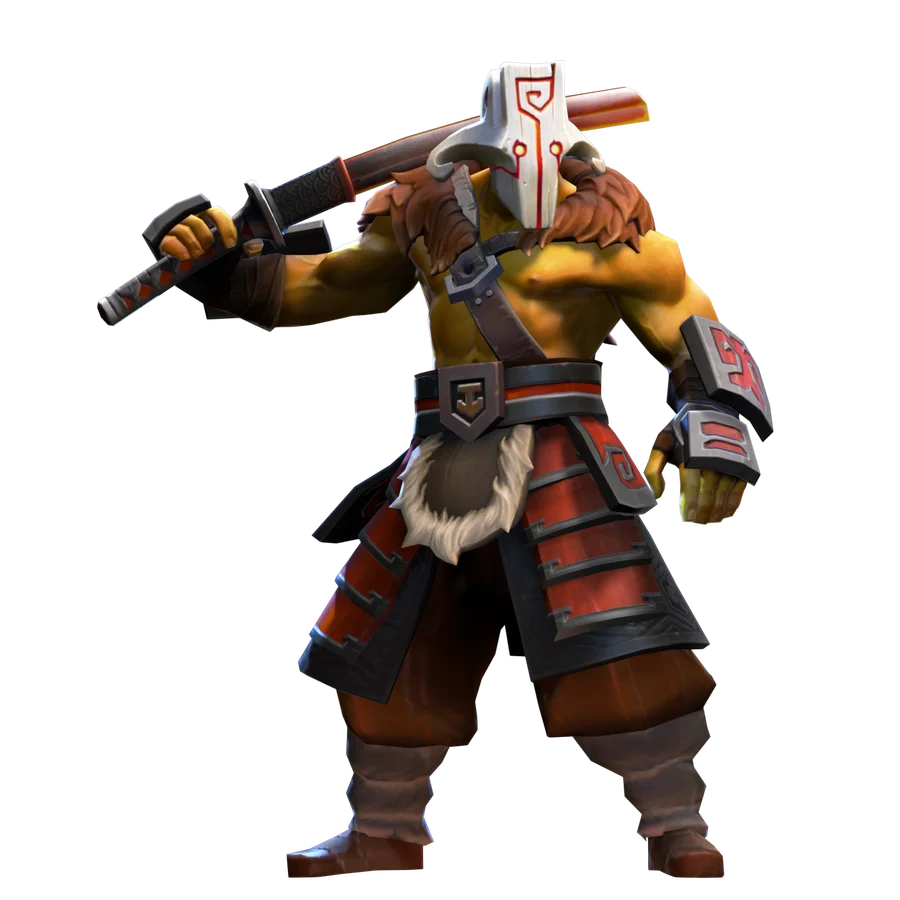
Consumables, boots, active items, the courier and a question to ask before an expensive purchase. I suggest understanding the action first, testing it in safe practice, and choosing one adjustment for your next match.
Name the problem first
Running low on health in lane? Need a way to get in or out? Cannot cast your spells in time? The answer helps you choose a consumable, mobility or protection instead of another damage item.
A preset build is a route you need to relate to the match. Your enemies, role and the pace of the game change your priorities. An expensive item that arrives after the decisive fight is not always better than a small, useful purchase now.

Bought does not mean working yet
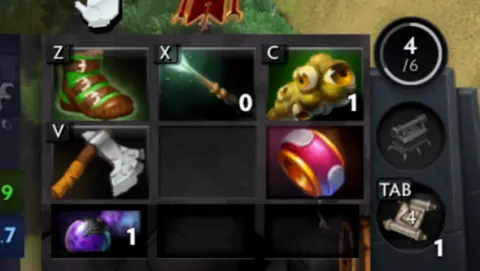
The item needs to reach your hero and occupy an appropriate slot. Keep track of the courier, delivery and backpack: storing an item and receiving its effect are different things.
Check which items you need to activate. Magic Wand, Blink and Glimmer Cape solve different problems and require a separate action. Before a match, practise your usual hotkeys in Demo Hero.
 EXPLORE THE EXAMPLE ↗
The actual inventory panel from my match. The space and the item occupying it are two different uses of the word ‘slot’.
OOPS DOTA / Ruslan Ukrainskyi · own Juggernaut recording
Do not copy the final screenshot
The final inventory does not show the whole journey: starting consumables, intermediate components, items sold and purchase timings. That is why our video breakdowns explain key items rather than showing only six icons.
For your next match, choose one purchase and say what it is for. After the game, check whether it helped. If you never pressed its button, examine how to use it first.
Check the journey from buying to a useful activation
A purchase involves several steps: choose a task, assemble the components, receive the item and prepare to use it. If it is outside an active inventory slot or still on the courier, your hero may not yet have the effect you expect. Hover over it and check the inventory's actual state.
For an active item, you need a clear target, an available button and the required resources. In practice, buy one item and use it for the reason you named. You do not need to memorise the entire build at once: start by turning one purchase into a concrete benefit.
«I want to see ‘why’ beside a purchase. Then even similar builds start to make sense in different ways.»
Ruslan Ukrainskyi · OOPS DOTA
- 01Name the problem
- 02Choose the effect
- 03Receive the item
- 04Use it for a purpose
Try it in the client.
Take your practice hero and one problem: a lack of resources, a dangerous position or the need to help an ally.
- 01
Open a suitable item's description and identify what works continuously and what needs activation.
- 02
Put the active item in a convenient slot and learn its hotkey.
- 03
Request delivery, then use the item once on a suitable target.
- 04
Compare it with an alternative: what other problem does that solve, and what will it not fix?
How to tell whether it worked
Before buying, you can finish the sentence ‘I'm buying this item to…’, and afterwards show the useful action it enables.
You received an active defensive item, but keep forgetting to use it. What should you practise first?
Choose an action and read the explanation.
Tried it in-game?
Mark the lesson when you’ve done the practice. It’s your checkmark, not a skill grade.
Next lesson ↗Sources and context
An original beginner course by Ruslan Ukrainskyi. The learning path was prepared on October 6, 2026 for patch 7.41f; check exact values, object locations and interactions against the current client and Valve’s source. Illustrations have separate captions: our own recordings, official demonstrations and clearly marked historical examples.
Valve: short practice scenarios and a glossary (2021) ↗Valve: heroes and ability descriptions ↗Valve: current patch 7.41f notes ↗